
Client Communication Touchpoints for Wedding Photographers

Client Communication Touchpoints for Wedding Photographers
A reliable set of client communication touchpoints, from inquiry to final gallery, is the fastest way to raise satisfaction and convert gallery views into prints and downloads. Photographers who charge $8,000–$20,000 rely on carefully engineered client journeys at every touchpoint to create a premium experience, rather than vastly superior images. They engineer deliberate interactions at every stage of the client journey.
Here’s the core checklist, with timing built in:
Inquiry response within 90 minutes (warm, personal, with a clear next step)
Booking confirmation the same day (contract, invoice, and a “You’re booked” welcome)
Welcome sequence within 24 hours (process overview, what to expect, key dates)
Pre-wedding check-ins at 90, 60, 30, 14, and 7 days out
Rehearsal or engagement session touchpoint (rapport-building, process preview)
Day-of check-in (brief, positive, on-schedule confirmation)
Sneak peeks within 72 hours of the wedding
Gallery delivery with a curated reveal message and clear purchase options
Upsell follow-ups at 7 and 30 days post-delivery
Anniversary or referral message at 12 months
Pro Tip: Add a branded “You’re booked” email that links directly to your Photivo gallery workflow. It sets the tone, signals professionalism, and gets clients excited about the delivery experience before editing even begins.
Table of Contents
Why deliberate touchpoints raise satisfaction and justify premium pricing
Every communication touchpoint, timed and mapped
Ready-to-use templates for email, SMS, and DMs
How to use your online gallery as a sales touchpoint
What to track and how to improve your results
Common mistakes that erode client trust
How to present pricing so clients want to buy
A 90-day rollout plan to build your touchpoint system
Key Takeaways
Why communication is the craft most photographers underinvest in
Photivo makes your gallery the strongest touchpoint you have
Why deliberate touchpoints raise satisfaction and justify premium pricing
Experience and communication drive perceived value as much as image quality. Clients can’t evaluate your editing skill before the wedding, so they judge you on how you make them feel. Inconsistent communication is one of the leading drivers of dissatisfaction, and it costs you referrals long after the wedding day.

The business case is concrete. Photographers who respond to inquiries within five minutes are dramatically more likely to make contact than those who wait 30 minutes or more. Speed signals care. And care, compounded across every point of the client journey, is what distinguishes photographers able to command $8,000–$20,000 fees from those at lower price points.
Every communication touchpoint, timed and mapped
Think of the wedding day as the performance; everything before it is rehearsal. Your job is to make clients feel prepared, not anxious. Pre-schedule educational touchpoints at 90, 60, 30, 14, and 7 days out, each dropping progressively more detailed planning assets.
Touchpoint | Timing | Channel | Core message | KPI to track |
|---|---|---|---|---|
Inquiry response | Within 90 min | Email + phone | Warm acknowledgment, next step | Response time |
Booking confirmation | Same day | Contract, invoice, welcome | Time to sign | |
Welcome sequence | Within 24 hrs | Email (3-part) | Process, expectations, key dates | Open rate |
Engagement session | Several weeks post-booking | Email + SMS | Logistics, what to wear, rapport | Reply rate |
90-day check-in | 90 days out | Timeline template, vendor intro | Open rate | |
60-day check-in | 60 days out | Shot list, family formals guide | Click rate | |
30-day check-in | 30 days out | Packing list, day-of logistics | Open rate | |
2-week confirmation | 14 days out | Email + SMS | Final timeline, arrival time | Reply rate |
Day-of check-in | Morning of | SMS | Arrival confirmation, positive tone | Read receipt |
Sneak peeks | Within 72 hrs | Email + DM | 5–10 hero images, gallery preview | Gallery views |
Gallery delivery | Per your timeline | Email + Photivo link | Full gallery, print options, upsells | View-to-purchase |
7-day upsell | 7 days post-delivery | Print reminder, limited-time offer | Conversion rate | |
30-day follow-up | 30 days post-delivery | Album prompt, review request | Review rate | |
Anniversary message | 12 months | Gallery link, referral invitation | Referral rate |
Sample subject lines for key touchpoints:
“You’re officially booked, [Name]. Here’s what happens next.”
“Your wedding timeline template is ready, [Name].”
“Two weeks out. Here’s everything you need to know.”
“A few favorites from your day, [Name].”
“Your gallery is live. Here’s how to share and order.”
“Still thinking about prints? Here’s a gentle nudge.”
Ready-to-use templates for email, SMS, and DMs
A structured welcome email sequence saves hours and builds trust fast. The sequence has four jobs: celebrate the booking, explain your process, set expectations, and prompt the next action.
“You’re booked” email (send immediately after contract signing):
Subject: You’re officially booked, [Name] and [Partner Name]!
Hi [Name], I’m so excited to be your photographer on [Date] at [Venue]. You’ll find your contract and invoice attached. Over the next few weeks, I’ll send you everything you need to feel completely prepared. First up: a quick overview of how we work together. Welcome to the family.
2-week timeline confirmation (email + SMS backup):
Subject: Two weeks out, [Name]. Let’s confirm your timeline.
Hi [Name], your wedding is almost here! Attached is your finalized timeline. I’ll arrive at [Location] at [Time]. Please send me your final shot list and any last-minute details by [Date]. Can’t wait.
SMS version: “Hey [Name], just confirming I’ll be at [Location] at [Time] on [Date]. Any last-minute questions? Text me here.”
72-hour sneak-peek DM/email:
Subject: A few favorites from your day.
Hi [Name], I’ve been smiling all week editing these. Here are a few images I couldn’t wait to share. Your full gallery will be ready in [X] weeks. [Gallery preview link]
Channel rules: Use DMs and SMS for quick confirmations and vision conversations. Require email for contracts, invoices, and any pricing discussion. Gen Z clients often prefer informal channels early on, but every business-critical exchange needs an auditable paper trail.
Pro Tip: A/B test your subject lines over 8 weeks. Try “[Name], your gallery is live” versus “Your wedding photos are ready” and track open rates in your CRM. Small wording shifts often move open rates by several percentage points.
How to use your online gallery as a sales touchpoint
The gallery isn’t just delivery. It’s your primary commerce moment, and it deserves as much care as the shoot itself. Treating gallery delivery as an emotional reveal is where many photographers lose the capstone of the client journey.
A well-designed gallery flow looks like this:
Gated access via a password-protected link sent in your delivery email
Hero image at the top (your single best frame, full-width, no distractions)
Curated sections organized by moment (getting ready, ceremony, portraits, reception)
Pricing panel with clear options for digital downloads, lab prints, and wall art
Bundle callout for parent albums or anniversary session packages
Vendor share link so planners and florists can pull their images directly
Three concrete upsell examples to build into your gallery and follow-up emails:
Lab prints and wall art: Position these as heirlooms, not commodities. “These images deserve a wall, not just a hard drive.”
Parent albums: Offer a pre-designed 20-page album at a fixed price. Parents rarely say no when the design is done for them.
Anniversary session: Mention it in your 30-day follow-up. “Your one-year is coming. Let’s make it a tradition.”
Photivo’s gallery delivery features let you build branded galleries with sales panels, print ordering, and vendor portals baked in, so every delivery moment is also a revenue opportunity.
What to track and how to improve your results
Tag gallery links with UTM parameters, track view-to-purchase conversion in your gallery platform, and record inquiry response time in your CRM. That’s your minimum viable measurement setup.
Metric | How to measure | Target range |
|---|---|---|
Inquiry response time | CRM timestamp | Under 90 minutes |
Welcome email open rate | Email platform analytics | — |
Gallery click-through rate | UTM + gallery analytics | — |
View-to-purchase conversion | Gallery platform reporting | 15–30% |
Average order value | Gallery sales report | Track month over month |
Net promoter feedback | Post-delivery survey | Positive trend over time |
Four test ideas to run over 4–8 weeks:
Subject line A/B: Test name personalization versus benefit-led subject lines
Send time: Compare Tuesday morning versus Thursday evening for gallery delivery emails
Upsell panel wording: “Order prints” versus “Turn these into heirlooms”
Limited-time offer: A 10-day print discount versus an evergreen price to compare urgency lift
Common mistakes that erode client trust
Slow responses are the most damaging. A couple who waits 48 hours for a reply after inquiring has already moved on emotionally, even if they eventually book. Pair your CRM with an automated warm response so no inquiry goes cold.
Inconsistent channels: Mixing DMs, texts, and emails without a clear system creates confusion. Set channel rules in your welcome email and stick to them.
Leaving clients without a next step: Every touchpoint should end with one clear action. “Reply with your shot list by [Date]” beats “let me know if you have questions.”
Surprising fees at delivery: If prints cost extra, say so at booking. Clients who discover pricing at gallery delivery feel misled, even when the fee is reasonable.
Poor gallery UX: A gallery that’s hard to navigate or slow to load kills conversion. Test your own gallery on mobile before every delivery.
Pro Tip: When using DMs or voice notes with clients, set a boundary in your welcome email: “I’m always reachable by text for quick questions, but for anything involving contracts or pricing, I’ll follow up by email so we both have a clear record.”
How to present pricing so clients want to buy
Frame prints and albums as part of the experience, not an afterthought. Pre-designing print orders reduces friction and increases average order value because clients aren’t starting from a blank slate.
Three pricing structures that protect perceived value:
A la carte downloads with tiered discounts: Single image at full price, 10-image set at 15% off, full gallery download at a fixed package rate. Rewards commitment without devaluing individual images.
Bundled print packages: A curated set of sizes (one 16x20, two 8x10s, four 4x6s) at a single price. Removes decision fatigue and moves volume.
Parent album bundles: A pre-designed 20-page album at a fixed price, offered as an add-on at booking and again at delivery.
Sample gallery pricing panel copy: “Your images are meant to live beyond a screen. Lab prints start at $X. Wall art from $X. Full-gallery digital download: $X. All orders ship within 10–14 business days.” For sales, note that applicable sales tax is calculated at checkout based on the shipping address, and shipping costs are shown before purchase confirmation.
A 90-day rollout plan to build your touchpoint system
Map your current touchpoints before automating anything. You can’t improve what you haven’t documented.
Days 1–30: Map and build
List every client interaction you currently have, from inquiry to delivery
Identify gaps against the timeline table above
Write your “You’re booked” welcome sequence (3 emails)
Set up your CRM intake form to capture referral source and wedding date automatically
Configure your gallery platform with branded header, pricing panel, and vendor share link
Days 31–60: Automate and configure
Automate booking confirmation, welcome sequence, and pre-wedding check-ins
Set up UTM parameters on all gallery links
Build your gallery upsell panels and test the purchase flow on mobile
Keep timeline calls and upsell consults manual — these need a human voice
Days 61–90: Measure and iterate
Review open rates, gallery conversion, and inquiry response time
Run your first subject-line A/B test
Document the full workflow in a one-page runbook for your second shooter or assistant
Set a milestone: inquiry response under 90 minutes, gallery conversion trending upward
For scaling your workflow across multiple weddings, that runbook becomes your most valuable asset.
Key Takeaways
Designing deliberate client communication touchpoints across the full wedding photography journey, from inquiry to anniversary follow-up, is the most direct path to higher satisfaction, stronger referrals, and consistent gallery sales.
Point | Details |
|---|---|
Speed of reply matters most | Responding to inquiries within 90 minutes dramatically increases your booking rate. |
Welcome sequence is foundational | A 3-part “You’re booked” sequence sets expectations and reduces client anxiety before it starts. |
Gallery is a sales channel | Design your gallery with a hero image, pricing panel, and upsell callouts to convert views into purchases. |
Measure three core metrics | Track inquiry response time, gallery view-to-purchase rate, and email open rate to find what to improve. |
Photivo powers the delivery touchpoint | Photivo’s branded galleries, sales panels, and vendor portals turn every delivery into a structured revenue moment. |
Why communication is the craft most photographers underinvest in
The photographers I respect most treat their client communication with the same intentionality they bring to light and composition. Not because it’s a business obligation, but because it’s the part of the experience their clients actually remember. A couple won’t recall your lens choice. They’ll remember whether you made them feel cared for, prepared, and celebrated.
The touchpoint system outlined here isn’t about volume of messages. It’s about precision: the right message, at the right moment, through the right channel. When the gallery lands in a client’s inbox and they already know what to expect, already trust you, and already feel the emotional weight of the day, they don’t hesitate to order prints. That’s not a sales tactic. That’s the natural result of a relationship built with care.
Photivo makes your gallery the strongest touchpoint you have
Every touchpoint you’ve built leads somewhere. Make sure that somewhere is worth arriving at. Photivo gives you branded client galleries with built-in sales panels, print ordering, digital downloads, and vendor portals, so the delivery moment you’ve been building toward actually converts. Clients land in a beautiful, personal gallery that feels like an extension of your brand, not a generic file-sharing page.
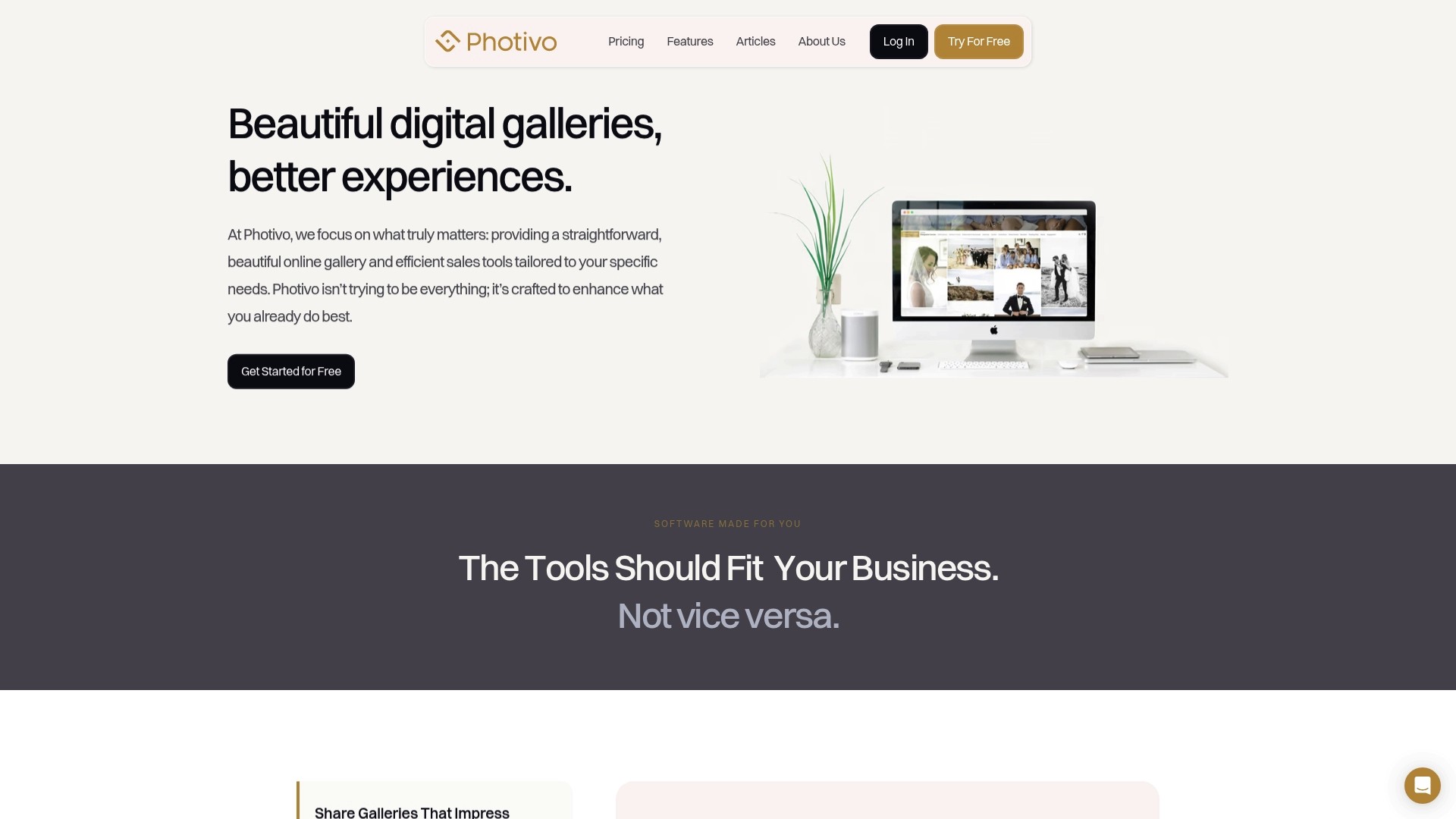
The setup is straightforward: configure your branded header, add your pricing panel, drop in your upsell callouts, and share a clean gallery link in your delivery email. Photivo’s reporting shows you view counts and purchase activity so you can see exactly which touchpoints are working. If you’re ready to make your gallery do more than just deliver files, try Photivo free and see what a revenue-ready delivery experience feels like.
Recommended
Client Communication Touchpoints for Wedding Photographers
A reliable set of client communication touchpoints, from inquiry to final gallery, is the fastest way to raise satisfaction and convert gallery views into prints and downloads. Photographers who charge $8,000–$20,000 rely on carefully engineered client journeys at every touchpoint to create a premium experience, rather than vastly superior images. They engineer deliberate interactions at every stage of the client journey.
Here’s the core checklist, with timing built in:
Inquiry response within 90 minutes (warm, personal, with a clear next step)
Booking confirmation the same day (contract, invoice, and a “You’re booked” welcome)
Welcome sequence within 24 hours (process overview, what to expect, key dates)
Pre-wedding check-ins at 90, 60, 30, 14, and 7 days out
Rehearsal or engagement session touchpoint (rapport-building, process preview)
Day-of check-in (brief, positive, on-schedule confirmation)
Sneak peeks within 72 hours of the wedding
Gallery delivery with a curated reveal message and clear purchase options
Upsell follow-ups at 7 and 30 days post-delivery
Anniversary or referral message at 12 months
Pro Tip: Add a branded “You’re booked” email that links directly to your Photivo gallery workflow. It sets the tone, signals professionalism, and gets clients excited about the delivery experience before editing even begins.
Table of Contents
Why deliberate touchpoints raise satisfaction and justify premium pricing
Every communication touchpoint, timed and mapped
Ready-to-use templates for email, SMS, and DMs
How to use your online gallery as a sales touchpoint
What to track and how to improve your results
Common mistakes that erode client trust
How to present pricing so clients want to buy
A 90-day rollout plan to build your touchpoint system
Key Takeaways
Why communication is the craft most photographers underinvest in
Photivo makes your gallery the strongest touchpoint you have
Why deliberate touchpoints raise satisfaction and justify premium pricing
Experience and communication drive perceived value as much as image quality. Clients can’t evaluate your editing skill before the wedding, so they judge you on how you make them feel. Inconsistent communication is one of the leading drivers of dissatisfaction, and it costs you referrals long after the wedding day.
The business case is concrete. Photographers who respond to inquiries within five minutes are dramatically more likely to make contact than those who wait 30 minutes or more. Speed signals care. And care, compounded across every point of the client journey, is what distinguishes photographers able to command $8,000–$20,000 fees from those at lower price points.
Every communication touchpoint, timed and mapped
Think of the wedding day as the performance; everything before it is rehearsal. Your job is to make clients feel prepared, not anxious. Pre-schedule educational touchpoints at 90, 60, 30, 14, and 7 days out, each dropping progressively more detailed planning assets.
Touchpoint | Timing | Channel | Core message | KPI to track |
|---|---|---|---|---|
Inquiry response | Within 90 min | Email + phone | Warm acknowledgment, next step | Response time |
Booking confirmation | Same day | Contract, invoice, welcome | Time to sign | |
Welcome sequence | Within 24 hrs | Email (3-part) | Process, expectations, key dates | Open rate |
Engagement session | Several weeks post-booking | Email + SMS | Logistics, what to wear, rapport | Reply rate |
90-day check-in | 90 days out | Timeline template, vendor intro | Open rate | |
60-day check-in | 60 days out | Shot list, family formals guide | Click rate | |
30-day check-in | 30 days out | Packing list, day-of logistics | Open rate | |
2-week confirmation | 14 days out | Email + SMS | Final timeline, arrival time | Reply rate |
Day-of check-in | Morning of | SMS | Arrival confirmation, positive tone | Read receipt |
Sneak peeks | Within 72 hrs | Email + DM | 5–10 hero images, gallery preview | Gallery views |
Gallery delivery | Per your timeline | Email + Photivo link | Full gallery, print options, upsells | View-to-purchase |
7-day upsell | 7 days post-delivery | Print reminder, limited-time offer | Conversion rate | |
30-day follow-up | 30 days post-delivery | Album prompt, review request | Review rate | |
Anniversary message | 12 months | Gallery link, referral invitation | Referral rate |
Sample subject lines for key touchpoints:
“You’re officially booked, [Name]. Here’s what happens next.”
“Your wedding timeline template is ready, [Name].”
“Two weeks out. Here’s everything you need to know.”
“A few favorites from your day, [Name].”
“Your gallery is live. Here’s how to share and order.”
“Still thinking about prints? Here’s a gentle nudge.”
Ready-to-use templates for email, SMS, and DMs
A structured welcome email sequence saves hours and builds trust fast. The sequence has four jobs: celebrate the booking, explain your process, set expectations, and prompt the next action.
“You’re booked” email (send immediately after contract signing):
Subject: You’re officially booked, [Name] and [Partner Name]!
Hi [Name], I’m so excited to be your photographer on [Date] at [Venue]. You’ll find your contract and invoice attached. Over the next few weeks, I’ll send you everything you need to feel completely prepared. First up: a quick overview of how we work together. Welcome to the family.
2-week timeline confirmation (email + SMS backup):
Subject: Two weeks out, [Name]. Let’s confirm your timeline.
Hi [Name], your wedding is almost here! Attached is your finalized timeline. I’ll arrive at [Location] at [Time]. Please send me your final shot list and any last-minute details by [Date]. Can’t wait.
SMS version: “Hey [Name], just confirming I’ll be at [Location] at [Time] on [Date]. Any last-minute questions? Text me here.”
72-hour sneak-peek DM/email:
Subject: A few favorites from your day.
Hi [Name], I’ve been smiling all week editing these. Here are a few images I couldn’t wait to share. Your full gallery will be ready in [X] weeks. [Gallery preview link]
Channel rules: Use DMs and SMS for quick confirmations and vision conversations. Require email for contracts, invoices, and any pricing discussion. Gen Z clients often prefer informal channels early on, but every business-critical exchange needs an auditable paper trail.
Pro Tip: A/B test your subject lines over 8 weeks. Try “[Name], your gallery is live” versus “Your wedding photos are ready” and track open rates in your CRM. Small wording shifts often move open rates by several percentage points.
How to use your online gallery as a sales touchpoint
The gallery isn’t just delivery. It’s your primary commerce moment, and it deserves as much care as the shoot itself. Treating gallery delivery as an emotional reveal is where many photographers lose the capstone of the client journey.
A well-designed gallery flow looks like this:
Gated access via a password-protected link sent in your delivery email
Hero image at the top (your single best frame, full-width, no distractions)
Curated sections organized by moment (getting ready, ceremony, portraits, reception)
Pricing panel with clear options for digital downloads, lab prints, and wall art
Bundle callout for parent albums or anniversary session packages
Vendor share link so planners and florists can pull their images directly
Three concrete upsell examples to build into your gallery and follow-up emails:
Lab prints and wall art: Position these as heirlooms, not commodities. “These images deserve a wall, not just a hard drive.”
Parent albums: Offer a pre-designed 20-page album at a fixed price. Parents rarely say no when the design is done for them.
Anniversary session: Mention it in your 30-day follow-up. “Your one-year is coming. Let’s make it a tradition.”
Photivo’s gallery delivery features let you build branded galleries with sales panels, print ordering, and vendor portals baked in, so every delivery moment is also a revenue opportunity.
What to track and how to improve your results
Tag gallery links with UTM parameters, track view-to-purchase conversion in your gallery platform, and record inquiry response time in your CRM. That’s your minimum viable measurement setup.
Metric | How to measure | Target range |
|---|---|---|
Inquiry response time | CRM timestamp | Under 90 minutes |
Welcome email open rate | Email platform analytics | — |
Gallery click-through rate | UTM + gallery analytics | — |
View-to-purchase conversion | Gallery platform reporting | 15–30% |
Average order value | Gallery sales report | Track month over month |
Net promoter feedback | Post-delivery survey | Positive trend over time |
Four test ideas to run over 4–8 weeks:
Subject line A/B: Test name personalization versus benefit-led subject lines
Send time: Compare Tuesday morning versus Thursday evening for gallery delivery emails
Upsell panel wording: “Order prints” versus “Turn these into heirlooms”
Limited-time offer: A 10-day print discount versus an evergreen price to compare urgency lift
Common mistakes that erode client trust
Slow responses are the most damaging. A couple who waits 48 hours for a reply after inquiring has already moved on emotionally, even if they eventually book. Pair your CRM with an automated warm response so no inquiry goes cold.
Inconsistent channels: Mixing DMs, texts, and emails without a clear system creates confusion. Set channel rules in your welcome email and stick to them.
Leaving clients without a next step: Every touchpoint should end with one clear action. “Reply with your shot list by [Date]” beats “let me know if you have questions.”
Surprising fees at delivery: If prints cost extra, say so at booking. Clients who discover pricing at gallery delivery feel misled, even when the fee is reasonable.
Poor gallery UX: A gallery that’s hard to navigate or slow to load kills conversion. Test your own gallery on mobile before every delivery.
Pro Tip: When using DMs or voice notes with clients, set a boundary in your welcome email: “I’m always reachable by text for quick questions, but for anything involving contracts or pricing, I’ll follow up by email so we both have a clear record.”
How to present pricing so clients want to buy
Frame prints and albums as part of the experience, not an afterthought. Pre-designing print orders reduces friction and increases average order value because clients aren’t starting from a blank slate.
Three pricing structures that protect perceived value:
A la carte downloads with tiered discounts: Single image at full price, 10-image set at 15% off, full gallery download at a fixed package rate. Rewards commitment without devaluing individual images.
Bundled print packages: A curated set of sizes (one 16x20, two 8x10s, four 4x6s) at a single price. Removes decision fatigue and moves volume.
Parent album bundles: A pre-designed 20-page album at a fixed price, offered as an add-on at booking and again at delivery.
Sample gallery pricing panel copy: “Your images are meant to live beyond a screen. Lab prints start at $X. Wall art from $X. Full-gallery digital download: $X. All orders ship within 10–14 business days.” For sales, note that applicable sales tax is calculated at checkout based on the shipping address, and shipping costs are shown before purchase confirmation.
A 90-day rollout plan to build your touchpoint system
Map your current touchpoints before automating anything. You can’t improve what you haven’t documented.
Days 1–30: Map and build
List every client interaction you currently have, from inquiry to delivery
Identify gaps against the timeline table above
Write your “You’re booked” welcome sequence (3 emails)
Set up your CRM intake form to capture referral source and wedding date automatically
Configure your gallery platform with branded header, pricing panel, and vendor share link
Days 31–60: Automate and configure
Automate booking confirmation, welcome sequence, and pre-wedding check-ins
Set up UTM parameters on all gallery links
Build your gallery upsell panels and test the purchase flow on mobile
Keep timeline calls and upsell consults manual — these need a human voice
Days 61–90: Measure and iterate
Review open rates, gallery conversion, and inquiry response time
Run your first subject-line A/B test
Document the full workflow in a one-page runbook for your second shooter or assistant
Set a milestone: inquiry response under 90 minutes, gallery conversion trending upward
For scaling your workflow across multiple weddings, that runbook becomes your most valuable asset.
Key Takeaways
Designing deliberate client communication touchpoints across the full wedding photography journey, from inquiry to anniversary follow-up, is the most direct path to higher satisfaction, stronger referrals, and consistent gallery sales.
Point | Details |
|---|---|
Speed of reply matters most | Responding to inquiries within 90 minutes dramatically increases your booking rate. |
Welcome sequence is foundational | A 3-part “You’re booked” sequence sets expectations and reduces client anxiety before it starts. |
Gallery is a sales channel | Design your gallery with a hero image, pricing panel, and upsell callouts to convert views into purchases. |
Measure three core metrics | Track inquiry response time, gallery view-to-purchase rate, and email open rate to find what to improve. |
Photivo powers the delivery touchpoint | Photivo’s branded galleries, sales panels, and vendor portals turn every delivery into a structured revenue moment. |
Why communication is the craft most photographers underinvest in
The photographers I respect most treat their client communication with the same intentionality they bring to light and composition. Not because it’s a business obligation, but because it’s the part of the experience their clients actually remember. A couple won’t recall your lens choice. They’ll remember whether you made them feel cared for, prepared, and celebrated.
The touchpoint system outlined here isn’t about volume of messages. It’s about precision: the right message, at the right moment, through the right channel. When the gallery lands in a client’s inbox and they already know what to expect, already trust you, and already feel the emotional weight of the day, they don’t hesitate to order prints. That’s not a sales tactic. That’s the natural result of a relationship built with care.
Photivo makes your gallery the strongest touchpoint you have
Every touchpoint you’ve built leads somewhere. Make sure that somewhere is worth arriving at. Photivo gives you branded client galleries with built-in sales panels, print ordering, digital downloads, and vendor portals, so the delivery moment you’ve been building toward actually converts. Clients land in a beautiful, personal gallery that feels like an extension of your brand, not a generic file-sharing page.
The setup is straightforward: configure your branded header, add your pricing panel, drop in your upsell callouts, and share a clean gallery link in your delivery email. Photivo’s reporting shows you view counts and purchase activity so you can see exactly which touchpoints are working. If you’re ready to make your gallery do more than just deliver files, try Photivo free and see what a revenue-ready delivery experience feels like.
Recommended
Explore More Articles


GEt started for free
Elevate your business with intuitive galleries with Photivo
Ready to Grow Your Photography Business? Sign Up Today!

GEt started for free
Elevate your business with intuitive galleries with Photivo
Ready to Grow Your Photography Business? Sign Up Today!
GEt started for free
Elevate your business with intuitive galleries with Photivo
Ready to Grow Your Photography Business? Sign Up Today!